A few months ago, I compared the VIVI Cap to the InsulinSaver bag. While the InsulinSaver bag proved to be more robust at keep the insulin at temperature, I can see scenarios where the VIVI Cap could prove useful e.g. when you cannot carry a bag. As the form factor is essentially the same with the VIVI Cap Smart as the VIVI Cap, I will not do a Insulin Cooling Battle, but I will explore the extra features it comes with. As with the previous review, Tempramed gave me the device for free to review but gave no guidance on what I could or should write. The review below is wholly my own opinion.
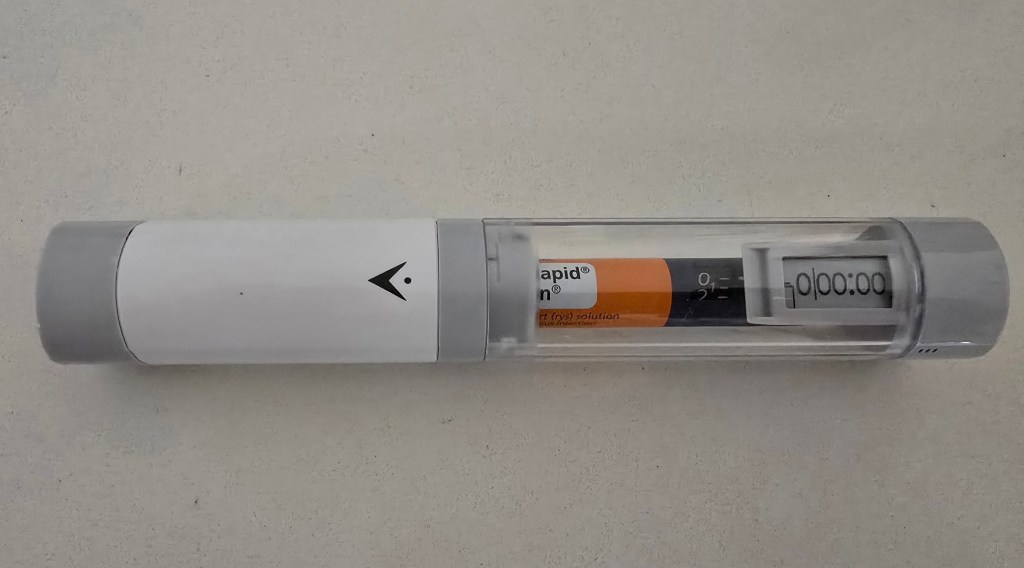
The key difference between the VIVI Cap and the ‘Smart’ edition is the inclusion of an opening sensor. This keeps track of when the case is opened and links to the ViviSmart app on your phone (Apple or Android) via Bluetooth so you can record the details of your injection. My guess is there is a proximity sensor in the top of the cap so when the cap is removed, it no longer sees a pen and records the opening. This makes me wonder whether it would still work with a shorter pen such as the older red Ozempics. The app is very useful at reminding you to record it as well, putting up a notification on the phone when a cap removal is detected and putting a placeholder entry in the app, ready for completion.
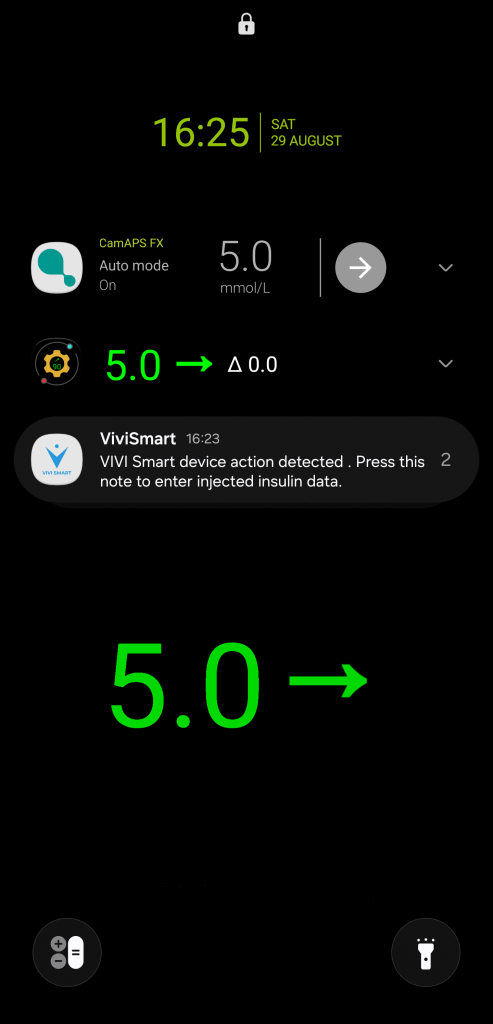
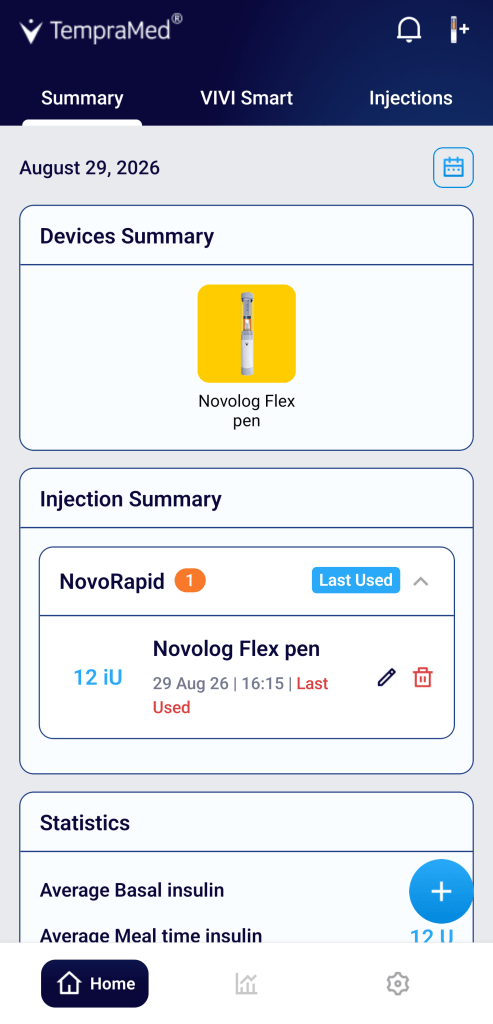
Sure enough, if you click through on the notification, the app opens up and lets you record the injection.
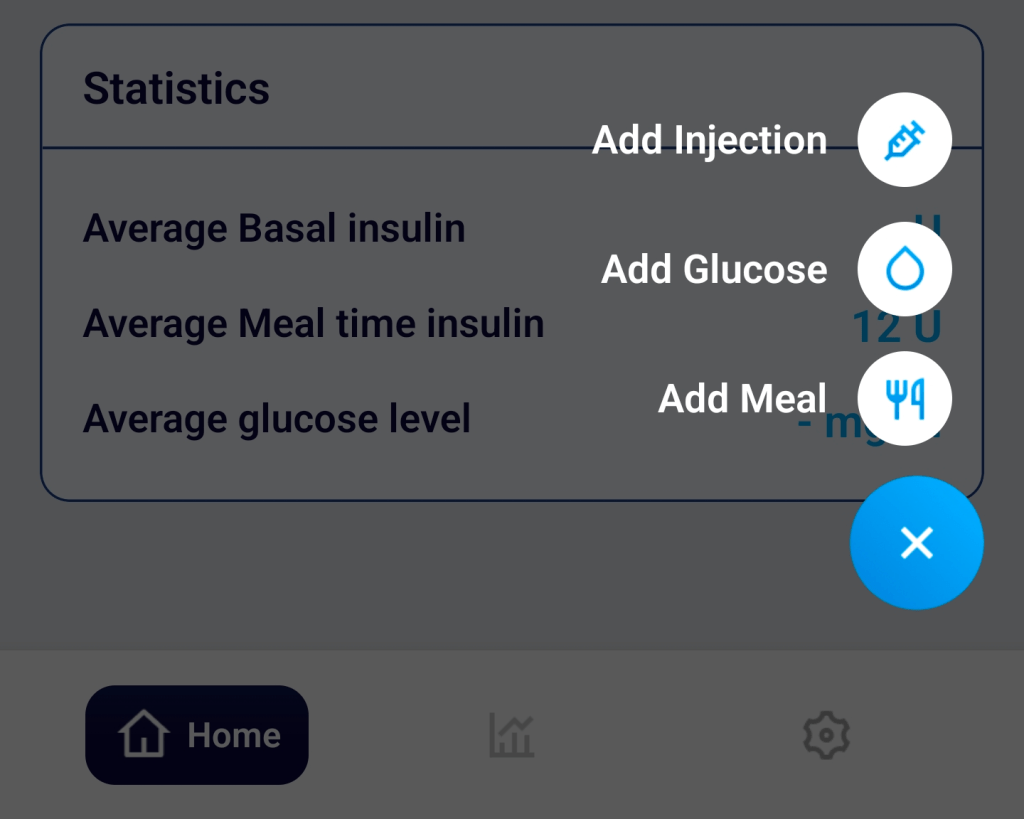
You can also record your BGL values manually, and meals.
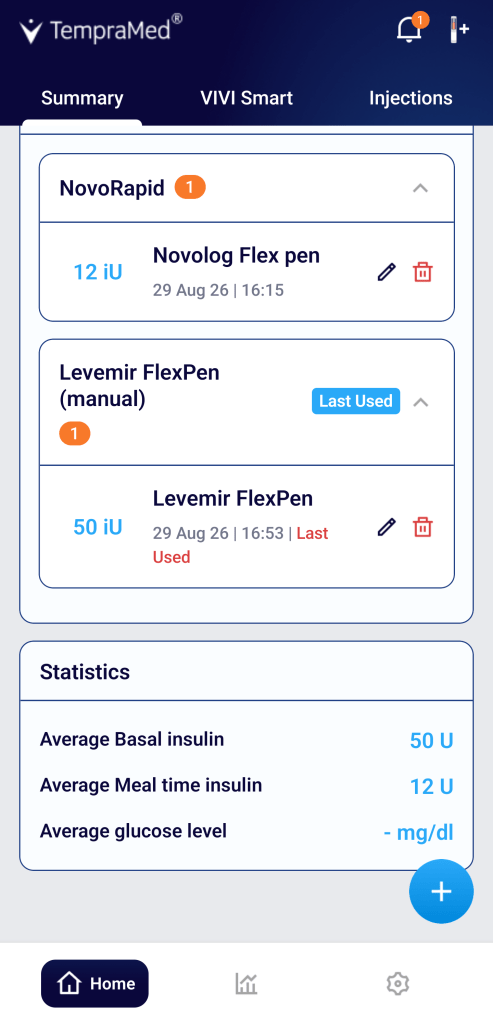
The other two tabs in the app (VIVI Smart and Injections) are essentially summaries of the data you have recorded. VIVI Smart tells you the pens you have used and Injections gives you a timeline of what you have done with them.
On the cap readout, it tells you how long ago (in days/hours/minutes) since you last opened up the VIVI Cap and how much charge the battery has. In the image below, 15 minutes. The battery is very, very hardy so you do not need to charge it often (the pen has been sitting by my chair for a few weeks and the readout was still going strong). One word of warning, the display maxes out and freezes at 9 days, 23 hours and 58 minutes so if you plan to keep the case closed for longer periods than this, the display will not tell you how long it has been.
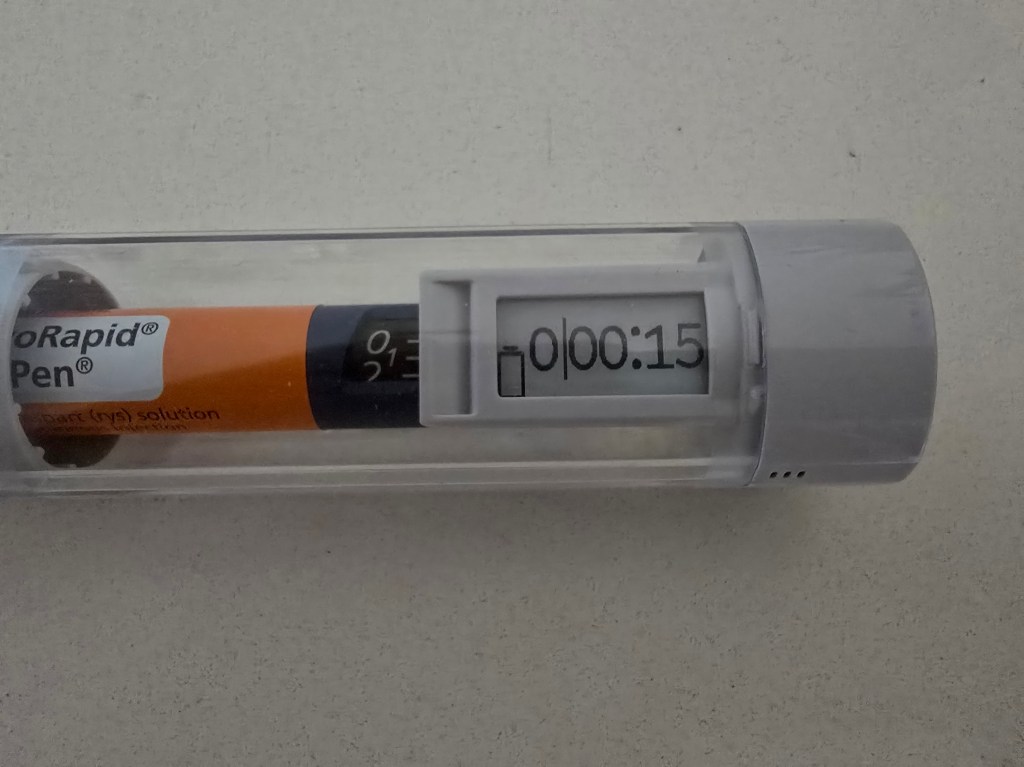
In terms of the physical device, it is otherwise the same as the VIVI Cap. The key differences are in the app.
The VIVI Cap Smart app
While I only had the opportunity to work with one VIVI Cap Smart, you can link multiple devices to the one app, if you have multiple VIVI Cap Smart cases. Although, if you are simply maintaining the temperature of the pens, unless you need the smart features, there may be value in considering a bag like the InsulinSaver or BreezyPacks bags instead.
A feature mentioned on the box was the ability to receive notifications and reminders. This can be found in the Settings area of the app. Some are behind a paywall (I will get to that later) but the ones which can be accessed for free are for the insulin pen and the VIVI Smart container. For the insulin pens, there are no settings to say how old is too old for the insulin so I assume it uses the manufacturers’ recommendations.
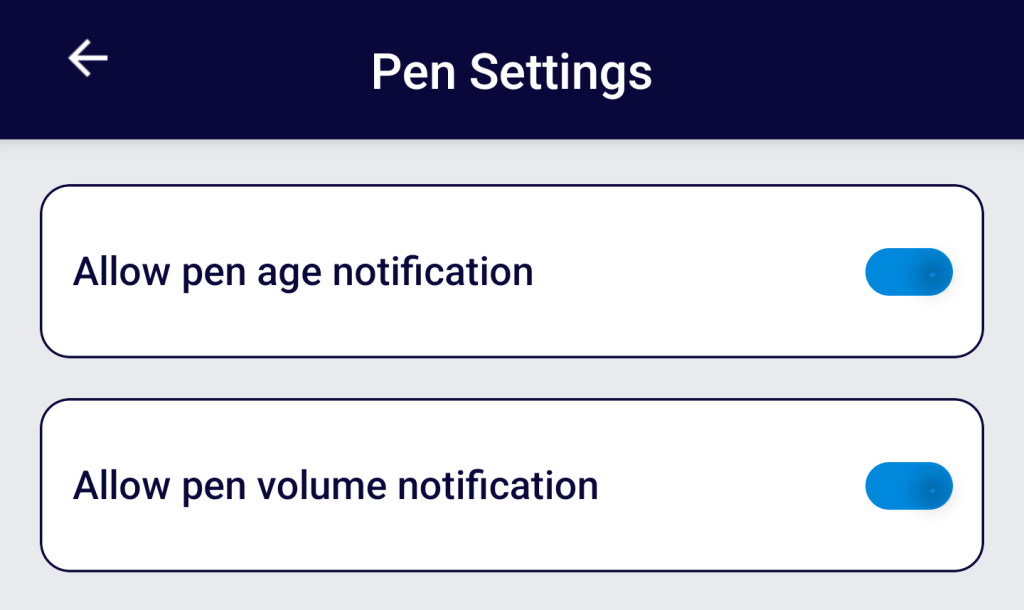
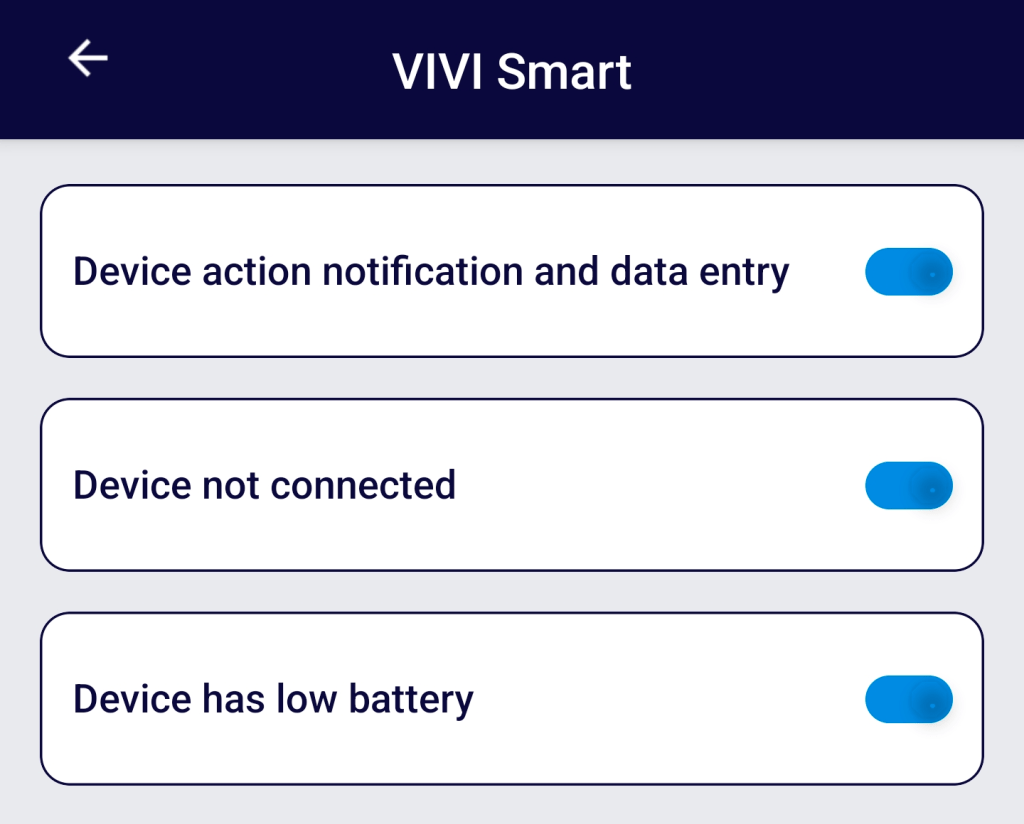
I was also wondering how it knew what injections were for bolus and which for basal. From what I can tell, it uses the type of insulin selected when the injection is recorded. So, for example, if I inject Levemir, it assumes this is for a basal injection whereas Novorapid is for meals.
There is also the ability to export your data in the Settings area which I like. It is your data and you should have the right to pull it out and do as you wish with it. Formats for export are PDF and CSV.
The additional features of the app sit behind a paid feature called Smart+. For the purposes of review, I requested access so I could cover it. Basically, Smart+ gives you some additional notifications and some statistical analysis of your data around insulin use and BGL levels. Here are the additional notifications/reminders:
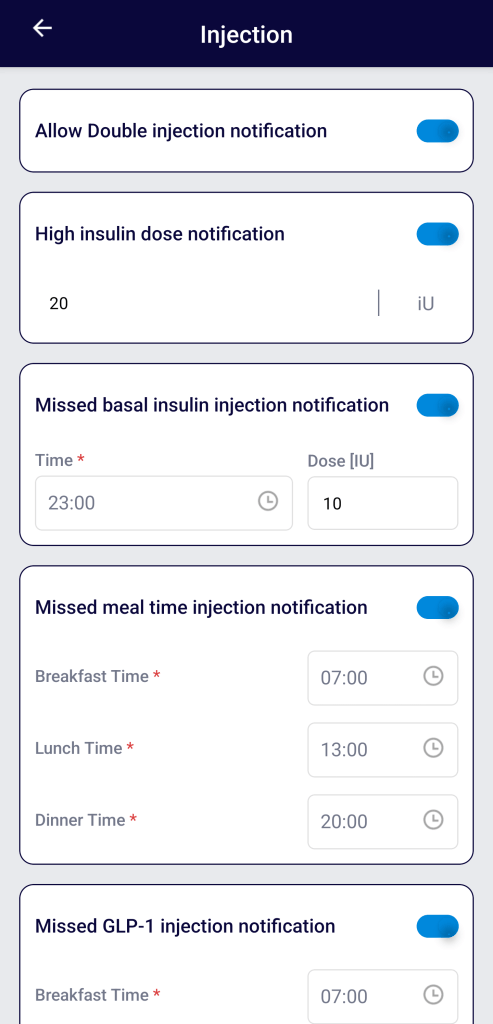
I was not overly impressed with the layout here, specifically around the time selection. In some cases, people do more than one basal injection per day (or in the case of insulin icodec, they do it once per week). The idea of fixed mealtimes is also problematic, at least for me, although I do not have a good solution for how to get around this and still maintain useful notifications. The assumption that GLP-1s are only injected at breakfast is also problematic but this value is independent of the other breakfast value in the missed mealtime area so, if you inject your Ozempic at dinner time or before you go to bed, you simply set the time to match, ignoring the field label.
Here is the statistical analysis provided. A little surprising was the lack of temperature data which, presumably it is capturing for the light on the bottom which changes colour when the insulin pen is too hot.
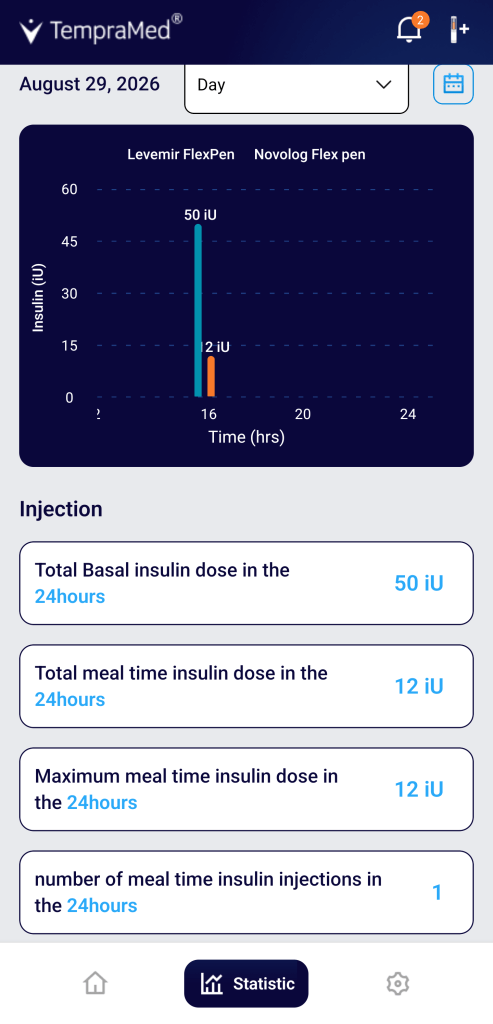
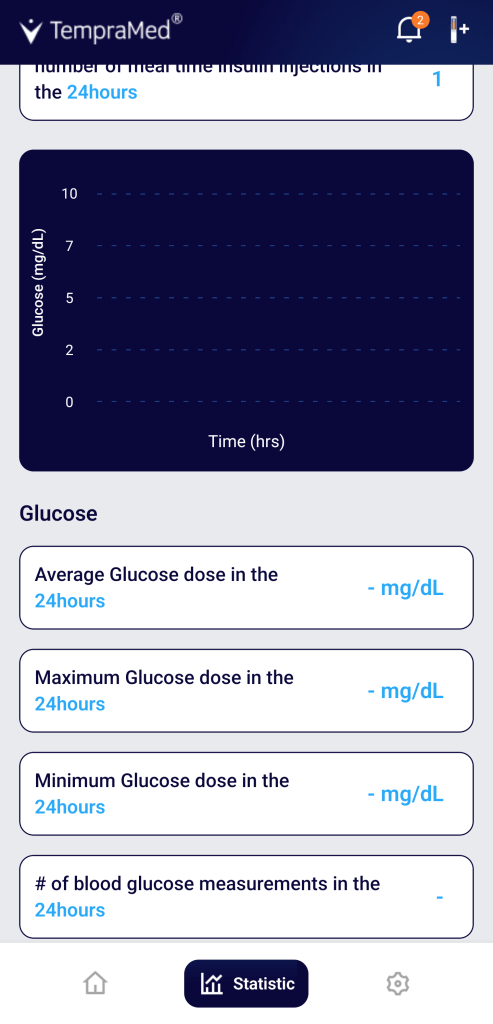
I could not find too much online on how much the Smart+ subscription costs but, given you can export the data, if you have a Sheets/Excel guru friend who works for pizza slices, perhaps they can help set up something similar.
Other Stuff
While using it for the review I did make note of some other ‘features’ as I went along such as:
- I could not get the provided charging cable to work at all. However, the VIVI Cap Smart did charge off of other USB-C chargers so this was not a showstopper. The way you know if it is charging or not is that there is a tiny red light next to the charging port which comes on when it is charging.
- The moment you start charging the VIVI Cap Smart, it will reset the device (not the app). This means it will forget the time since the last injection and immediately reset the clock back to 0.
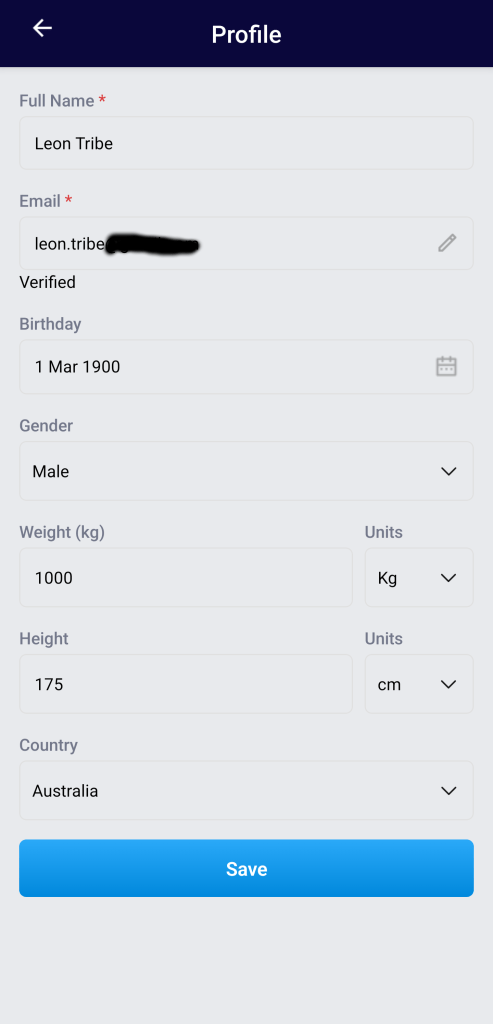
- I had made a note that, in the profile section you could only put yourself down as type 1 or type 2 leaving out a variety of other options. What is strange is that when I went back to the Profile section of the Settings to revisit this, I could no longer access it; the additional Profile areas, for some reason, were inaccessible through the app and all I could access was the first part.
- When setting up the Bluetooth connection between the device and my phone I could not match the serial number to the name given. It just meant I had to take it on faith it was the correct device.
- The card insert which comes with the device has very small text. For people with sight impairment of any kind, this will be tricky. There was a QR code for the user manual on there which worked and was useful in understanding some of the device’s aspects.
- There is a feature to record insulin amounts via voice, rather than type it in, although it is quite limited. Perhaps it is my Australian accent, but I found it struggled to record values. It simply did not hear them, even when the microphone icon was clearly visible. You could not use the voice command to set the insulin pen you used so this still requires touching the phone. Also, it would be nice to have this feature for recording BGLs and meals, not just insulin amounts.
Conclusions
Overall, for people doing daily multiple injections, this has some nice smart pen features with the added benefit of helping maintain a safe temperature for the medication it contains. There are some peccadillos, as mentioned above, but, if you need something to hold a pen where a small bag is not going to work and notifications/reminders are useful, this could be a good addition to your inventory and, I believe, provides a lot more ‘bang for buck’ for an additional US$20 over the non-smart VIVI Cap.

